
The WiFi Problem Cypress Families Keep Blaming on the Router
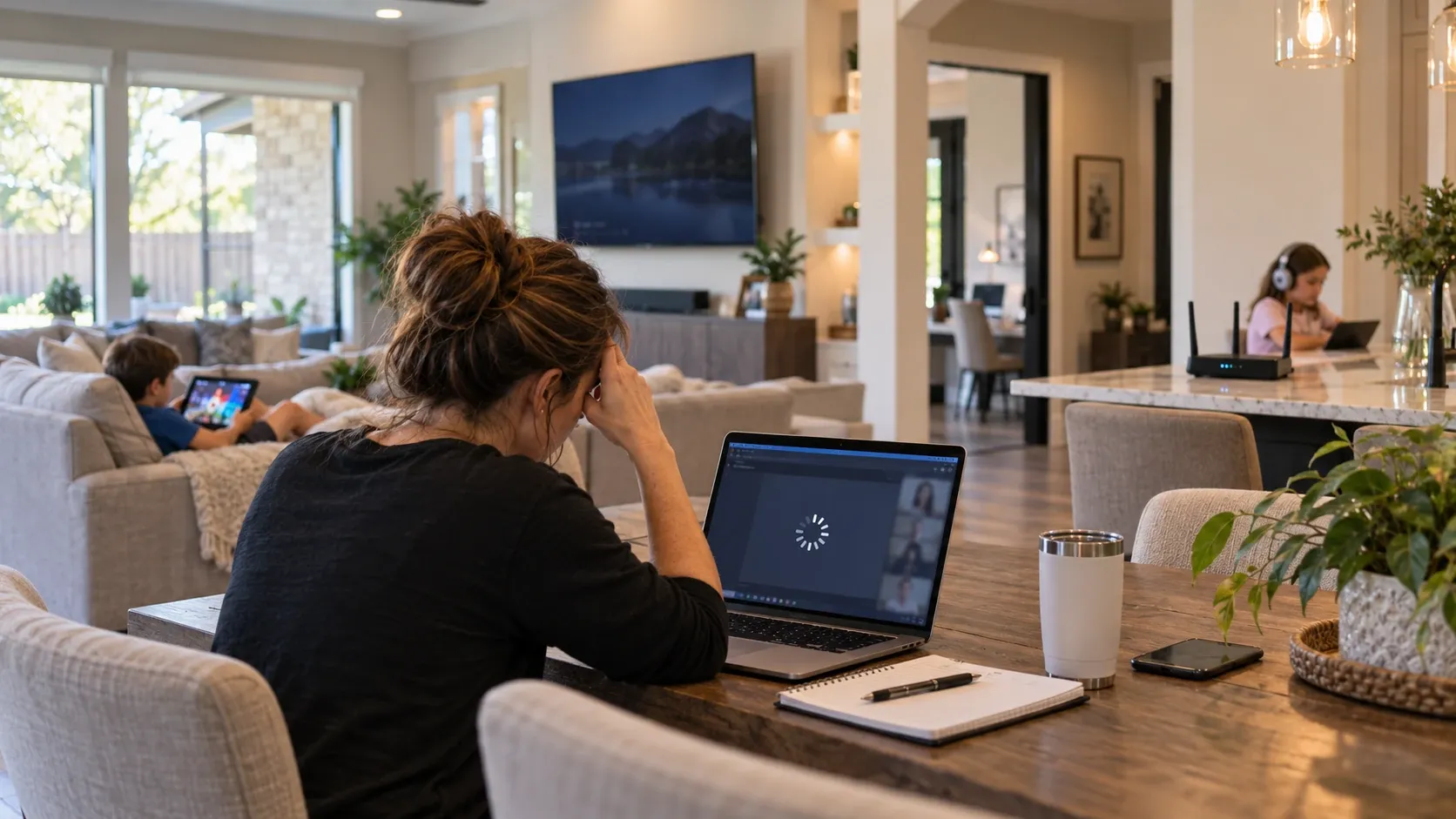
TLDR: In many Cypress homes, weak WiFi is less about the router and more about placement, finished-home layout, or missing wiring. A proper WiFi installation Cypress TX setup usually starts with where the signal has to travel, not just which router box you bought.
When one room keeps dropping out, the router gets blamed first. Fair enough. It is sitting there blinking in the corner like it should be doing all the work. But in a lot of Cypress homes, the real issue is the path between the router and the room people actually use most.
That usually means a long floor plan, a laundry-room network panel, a detached garage, or a back room that sits just far enough away to be annoying. Fall makes it more obvious because homework, streaming, remote work, and gaming all stack up at the same time.
What is usually causing the WiFi problem?
The short answer: weak WiFi is often a placement and layout problem, not a router-quality problem. A stronger router cannot magically push signal through multiple walls, metal framing, appliances, or a bad central location.
In homes we visit around Cypress, the trouble usually comes from one of these:
-
The router is tucked into a utility closet or laundry room.
-
The home has a long, wide layout with a dead zone at the far end.
-
There is no hardwired backhaul between access points.
-
The room with the worst signal is also the one used most for work or streaming.
-
The network gear was installed for move-in convenience, not whole-home coverage.
One thing that catches families off guard is that the “problem room” is often not random. It is usually the exact room that sits behind the most barriers or the farthest from the panel. That is why a router upgrade alone can feel disappointing.
Why does a stronger router still leave dead zones?
A stronger router can help a little, but it does not fix bad signal geometry. WiFi behaves more like light than magic. If the source is in the wrong place, the signal still has to fight through walls, corners, and distance.
According to FCC consumer guidance, home WiFi performance depends on placement, interference, and the way the home is built, not just the device itself. That lines up with what we see in the field all the time.
During installations, we often find that the equipment is fine. The placement is the part working against the homeowner.
The hidden places WiFi gets lost in Cypress homes
By the time the home is finished, the cleanest cable paths are gone. That is where retrofit work gets harder. Finished walls, attic access, and furniture placement all start shaping the network whether anyone planned for it or not.
On projects where we are called in later, the issue is often not the router at all. It is the fact that the home never had a real plan for coverage in the first place.
-
Utility closets: convenient for builders, not always ideal for signal.
-
Detached garages: just far enough away to be troublesome.
-
Back patios: popular in Houston, but tough on indoor WiFi.
-
Upstairs bonus rooms: often the first place to feel weak coverage.
-
Side rooms and offices: the exact spaces where people need reliability most.
In newer Cypress neighborhoods like Bridgeland and Towne Lake, we regularly see larger floor plans where one central router cannot realistically cover the whole house and outdoor living space. The home may look finished and connected, but the network foundation tells a different story.
What homeowners usually assume, and why it backfires
Many homeowners assume the fix is simply buying a better router. Sometimes that helps a little. More often, it just creates a more expensive version of the same problem.
A better long-term setup usually depends on:
-
properly placed access points
-
hardwired network cabling where possible
-
a central equipment location that actually supports expansion
-
coverage planning for the rooms people use every day
We often see families add more WiFi gear without a wiring plan, then wonder why performance gets inconsistent. That is a classic “more equipment, same headache” situation.
The surprising takeaway is that fewer, better-placed devices often work better than a pile of gear scattered around the house. WiFi likes clean structure. It is not impressed by enthusiasm.
What a better WiFi setup looks like
A solid home network starts with the layout, not the shopping cart. The goal is to support the rooms that matter most, including the office, living room, kids’ rooms, and any garage or patio space that gets used like an extra room.
Before choosing equipment, it helps to walk the home the way your family actually uses it:
-
from the driveway to the front door
-
through the main living area
-
into the room where buffering is worst
-
out to the patio or backyard
-
into the garage if devices or work happen there
That walkthrough usually reveals the real coverage gaps faster than any speed test.
If the home needs better backbone wiring, our network cabling services are often the cleanest way to stabilize the system instead of trying to out-muscle the layout with another router.
Planning mistakes that make WiFi worse later
One mistake we see repeatedly is waiting until after move-in to think about network layout. Once furniture, wall finishes, and daily routines are in place, the cleanest cable routes are usually gone.
That becomes more obvious in homes with:
-
long hallways
-
second-story bedrooms
-
detached garages
-
home offices tucked into corners
-
outdoor living areas that need coverage too
In many builder-grade homes we visit, the network panel ends up inside a laundry room or utility closet where expansion becomes difficult. It works fine on day one. It is not always the best place for the next five years of devices.
That is why structured wiring and access point planning matter so much in Cypress, Katy, and the surrounding suburbs. The house may be new, but the network can still be boxed in from the start.
Local realities Cypress families run into
Houston-area homes have a few patterns that show up again and again. Bigger footprints, detached garages, and outdoor living spaces are great for daily life, but they also make WiFi coverage more demanding.
Seasonally, fall is when families notice the weak spots more clearly. Kids are back into homework routines, streaming picks up, and the house spends more time indoors. That is when a weak room starts feeling less like a minor annoyance and more like a daily problem.
In Cypress Creek Lakes and nearby communities, we often see homeowners trying to cover both the main house and the backyard from a single central device. That is asking a lot from one piece of equipment, especially once the home starts filling up with phones, TVs, tablets, cameras, and smart devices.
According to FCC consumer guidance, performance issues often come down to placement and interference. In practical terms, that means the network needs to be designed for the home you live in, not the floor plan you saw before moving in.
Small changes that make a real difference
If the issue is mild, a few practical adjustments can help. If it is a true dead zone, those changes may not fully solve it, but they can make the problem easier to diagnose.
-
Move the router out of enclosed spaces when possible.
-
Keep it away from large appliances and dense obstructions.
-
Check whether the weak room is separated by multiple walls or floors.
-
Look for wired options before adding another wireless device.
-
Test coverage where your family actually uses the network, not just next to the router.
That last one matters more than people think. A network can look fine in the living room and still fail in the office, upstairs bedroom, or garage. The real test is everyday use, not a quick glance at the signal bars.
When it is time to stop troubleshooting and start planning
If one room keeps dropping, buffering, or lagging no matter what you do, the problem is probably structural. At that point, the smarter move is to plan the network around the home rather than keep swapping gear.
A practical recommendation based on real-world installation experience: start with a coverage assessment, then decide whether the home needs better cabling, a more central access point, or a full WiFi layout refresh. That approach saves a lot of trial and error.
For homeowners who want a cleaner long-term setup, our network cabling resources can help you understand what a more stable foundation looks like before you buy more hardware.
Related services that often come into the conversation
Once the network is stable, other systems tend to work better too. Smart devices, cameras, streaming gear, and access systems all depend on a reliable connection behind the scenes.
If your home is also dealing with camera blind spots or a side-yard gap, it can make sense to think about the whole setup together. A weak network and weak coverage usually show up in the same house for the same reason: the layout was never designed around how the family actually uses it.
For Cypress homeowners comparing upgrades, our security cameras article is a useful companion read when you are looking at blind spots around the property. If you are also planning entry control, we also handle access control in Cypress.
Frequently Asked Questions
Is the router really the problem if WiFi is weak in one room?
Sometimes, but not as often as homeowners hope. In many Cypress homes, the real issue is placement, distance, or missing wiring support for better access point locations.
Will a mesh system fix every dead zone?
Not automatically. Mesh can help, but placement and backhaul matter a lot. If the nodes are in the wrong spots, the system can still feel slow or inconsistent.
Why does my garage or patio have worse WiFi than the rest of the house?
Those spaces are farther from the main equipment and usually separated by exterior walls. Detached garages and outdoor areas often need their own coverage plan.
Should I upgrade the router before I call someone?
If the home already has obvious dead zones, it is usually better to assess the layout first. Otherwise, you may spend money on hardware that does not address the real cause.
What is the most common mistake with home WiFi planning?
Waiting until after move-in. Once the home is furnished and finished, the cleanest cable routes are harder to use, and the network design becomes more limited.
A better network starts with the house, not the box
If one room in your Cypress home keeps losing signal, that is usually your network telling you it needs a better plan, not just a newer device. The good news is that most of these problems can be solved with the right layout, the right cabling, and the right placement.
Turnip Technologies helps homeowners build WiFi systems that feel steady in the rooms that matter most. If you are tired of the same dead zone showing up every day, give us a call at 281-984-4800 or visit turniptech.com to book a WiFi assessment. We will help you figure out what is really going on and what will actually fix it.